
How to Use Claude + Coworker to Find Jobs Faster Than Ever
The Problem
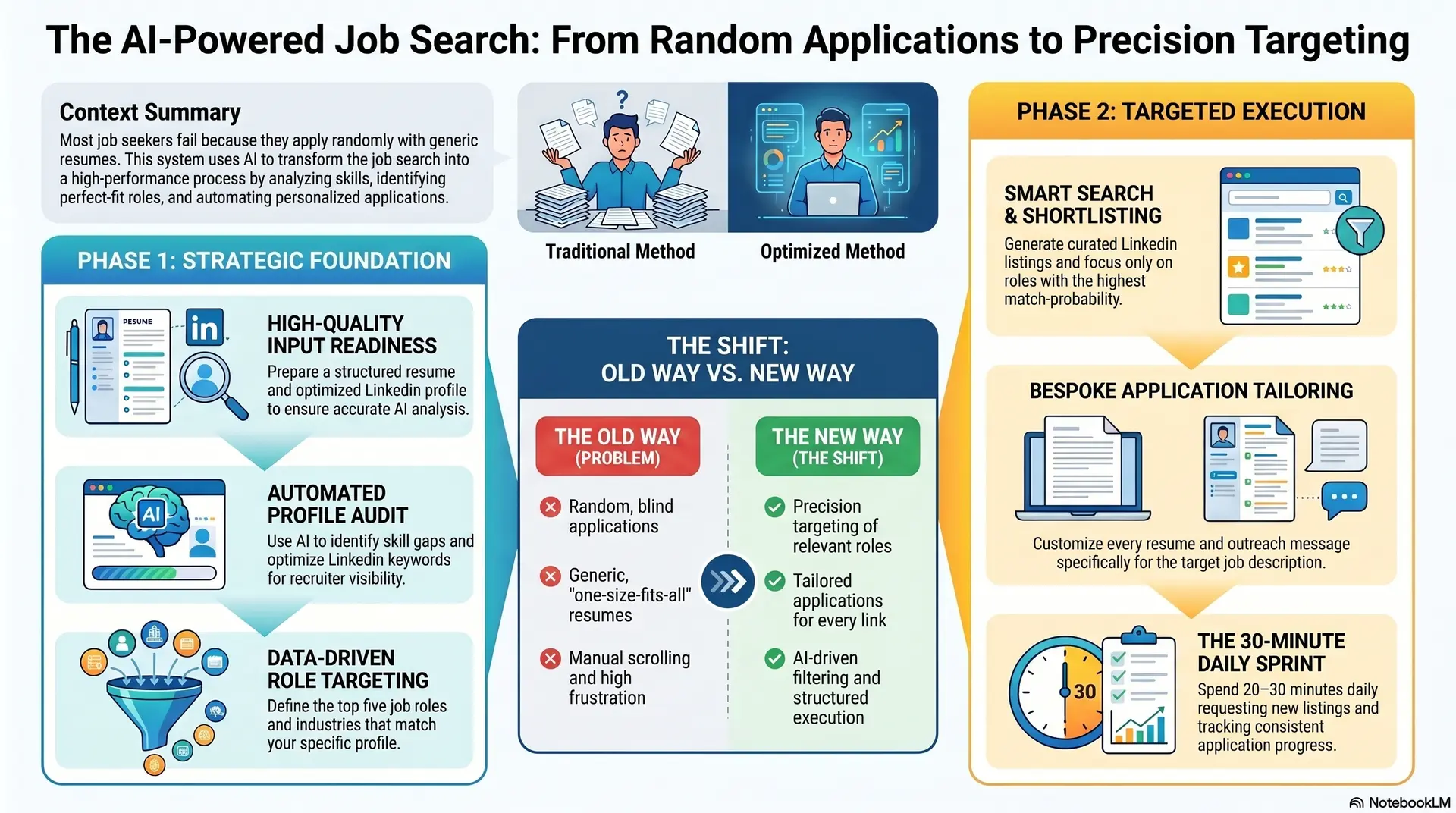
Most people don’t struggle with job searching because they lack skills.
They struggle because:
- They apply randomly
- They don’t tailor their resumes
- They don’t know which roles actually fit them
- They waste time scrolling instead of applying strategically
The result is predictable: low responses and high frustration.
The Shift
Instead of applying to hundreds of jobs blindly, the goal is to apply to a smaller number of highly relevant roles with precision.
This is where tools like Claude Desktop and its Coworker functionality become useful.
Step Up Your Game
What This System Does
Using AI, you can:
- Analyze your resume
- Review and improve your LinkedIn profile
- Identify your strengths and gaps
- Find relevant job opportunities
- Get ready-to-apply links
In simple terms, it handles the filtering and structuring so you can focus on execution.
Step-by-Step Setup
1. Install Claude Desktop
Download and install the application, then log in. This becomes your central workspace.
2. Access Coworker
Within Claude, access the available tools or integrations and enable Coworker if available.
3. Prepare Your Inputs
Before starting, make sure you have:
Resume
- Updated and well-structured
- Clear skills and experience
LinkedIn Profile
- Strong headline
- Detailed experience
- Skills and projects listed
The quality of your inputs directly impacts your results.
Step-by-Step Job Search System
Step 1: Resume Analysis
Use a prompt like:
“Analyze my resume and tell me:
- My strongest skills
- Roles I best fit
- Gaps I need to improve”
This gives clarity on where you stand and what to target.
Step 2: LinkedIn Profile Analysis
Prompt:
“Analyze my LinkedIn profile and suggest:
- Improvements
- Missing keywords
- Better positioning for job roles”
This helps improve visibility and alignment with recruiter expectations.
Step 3: Define Job Targets
Prompt:
“Based on my profile, suggest:
- Top 5 job roles I should target
- Relevant industries”
This removes guesswork from your job search.
Step 4: Smart Job Search
Prompt:
“Find LinkedIn job listings for:
[Your Role]
[Location or Remote]
Based on my profile. Provide direct application links.”
You will receive a curated list of relevant opportunities.
Step 5: Shortlist the Best Matches
Prompt:
“From these jobs, shortlist the ones where I have the highest chances and explain why.”
This helps you focus only on high-probability applications.
Step 6: Tailor Each Application
Prompt:
“Customize my resume and write a short message for this job:
[Paste Job Link]”
This ensures each application is personalized and relevant.
Advanced Strategy
Spend 20–30 minutes daily:
- Request new job listings
- Improve your resume and profile
- Track applications and responses
Consistency combined with precision leads to better outcomes.
Important Mistakes to Avoid
- Applying to every available job
- Using the same resume everywhere
- Ignoring LinkedIn optimization
- Blindly using AI outputs without reviewing
Always validate and refine before applying.
Final Insight
AI itself does not secure jobs.
But the person who uses AI effectively gains a strong advantage.
Simple Action Plan
Start today:
- Install Claude
- Upload your resume
- Analyze your profile
- Find relevant job listings
- Apply with tailored responses
Closing Thought
You do not need more effort.
You need better direction, better tools, and consistent execution.
If you want to take this further, this system can be turned into a structured dashboard or a downloadable guide to track and optimize your job search process.